


Description & Overview
Input all characters in Unicode with UnicodePad.
And input string can be copied to the clipboard or input directly by Mushroom.
You can find out where selected character is in list.
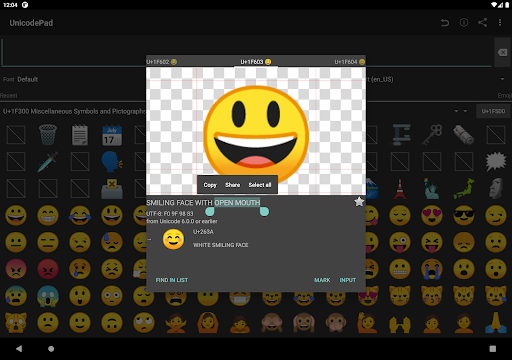
By long clicking, larger character and code point will be shown.
Favorite characters can be memorized.
If you can\t see special characters, you have to get a font such as Noto font and select it.
You can download Noto fonts from: https://www.google.com/get/noto/
Controls:
Click - Input character
Long click - Show character information
You can contribute to this app in GitHub.
https://github.com/Ryosuke839/UnicodePad
This application includes a modified version of Unicode Data File.
(http://www.unicode.org/Public/13.0.0/ucd/NamesList.txt)
Copyright 1991-2020 Unicode, Inc. All rights reserved.
Distributed under the Terms of Use in
http://www.unicode.org/copyright.html.