


Description & Overview
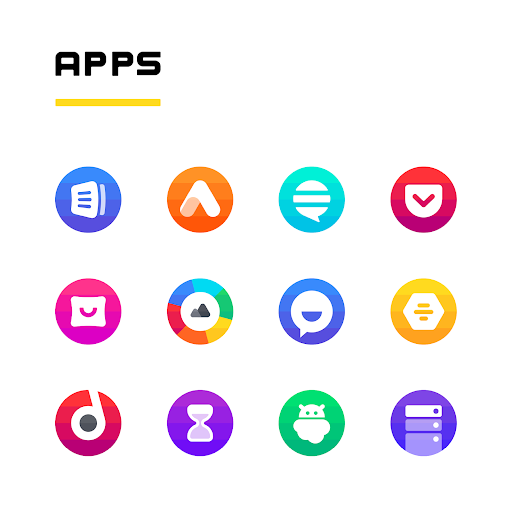
Circular and vivid beautiful icons
FEATURES:
• 2400+ High Quality Icons
• Alternative Icons
• Dynamic Calendar Icons
• Cloud based Wallpapers
• Icon request tool
• Regular Updates
How to use this Icon pack?
1. Install a supported Launcher
2. Open Cavion, go to Apply section and Select Launcher to apply. If your launcher is not in a list make sure you apply it from your launcher settings
DISCLAIMER
• A supported launcher is required to use this icon pack!
• FAQ section inside the app which answers a lot of questions you may have. Please read it before you emailing your question.
SUPPORTED LAUNCHERS:
• Action Launcher • ABC Launcher • ADW Launcher • Apex Launcher • Atom Launcher • ASAP Launcher • Aviate Launcher • CM Theme Engine • Cobo Launcher • Evie Launcher • Flick Launcher • GO Launcher • Holo Launcher • iTop Launcher • KK Launcher • Lawnchair • LG Home • Line Launcher • Lineageos Launcher • Lucid Launcher • M Launcher • Mesh Launcher • Microsoft Launcher • Mini Launcher • MN Launcher • Next Launcher • New Launcher • Niagara Launcher • Nougat Launcher • Nova Launcher • Open Launcher • OnePlus Launcher • Peek Launcher • Poco Launcher • S Launcher • Smart Launcher • Solo Launcher • Tsf Launcher • V Launcher • Z Launcher • ZenUI Launcher • Zero Launcher
It can probably work with others not mentioned.
CONTACT ME:
Twitter: https://twitter.com/lkn9x
Telegram: https://t.me/lkn9x
Instagram: https://www.instagram.com/lkn9x